Cinematic videos
start here
From product ads to music videos, Ethio Viral makes every clip feel effortless — Google Flow, unlocked wherever you are.
Google Flow is blocked in Ethiopia by region only. This extension removes that country block so Flow opens for you — exactly like it does for someone outside Ethiopia.
✅ It uses your own Google account and Google's normal free credits. It does NOT hack, add, steal, or change any credits or billing. Nothing about your Google account is touched. It only unlocks the country restriction — that is all.
💡 Want more credits? Get Google AI Pro (Gemini) from our store — far cheaper than Google, and it gives you much more Flow. Open the store →
You never need to sign out of your accounts. With the latest extension this fixes itself.
What to do:
- If it says "not available in your country": wait a few seconds, or open the extension and press Refresh — it unlocks on its own. This is handled for you; it is not your account.
- If only one specific Google account is refused: that account is limited by Google itself. From Flow's account menu, switch to another of your Google accounts — every account you are signed into works. Do not sign out of all accounts.
- Only if you are not signed in to Google at all: sign in to any one Google account, then reload flow.google.com.
Still stuck? Message @Ethio_viral_bot and we'll help.
Start free. Upgrade when you're hooked.
Simple pricing in birr. Cancel anytime — no lock-in, no card.
- A fresh trial key daily
- Full cinematic quality
- No payment needed
- Unlimited access for 30 days
- Priority rendering
- Amharic + English support
- Pay with Telebirr, CBE or Binance
Pay the way you already do.
In Ethiopia: Telebirr, CBE, or Binance — 100 ETB / month. Anywhere else: pay ~$1 / month with Binance Pay. Tap Buy monthly, pay, and your key is verified and delivered automatically.





 All Chromium browsers use the Chrome file above
- Unzip the file you downloaded (right-click → Extract / Unzip).
- Open chrome://extensions (or about:debugging on Firefox) and turn on Developer mode (top-right).
- Click Load unpacked and select the unzipped folder.
- Click the Ethio Viral Flow icon in your toolbar, paste your key, press Activate.
- Open flow.google.com — it’s unlocked. 🎬
- Install Kiwi (official APK — tap "Get Kiwi" above, then the arm64 file) or Mises from Google Play, then download the .zip above.
- In the browser menu ⋮ → Extensions, turn on Developer mode, tap + (from .zip) and pick the file.
- Open flow.google.com — unlocked on your phone.
Kiwi is no longer on Google Play, so it installs as an APK. Android will ask once to allow installs from your browser — that is normal. Alternative mirror ↗
- Install Orion Browser from the App Store, then download the Chrome .zip below.
- Orion Settings ⋯ → Extensions → Add, and pick the .zip.
- Open flow.google.com in Orion.
Have a key? Check it — then activate in the extension.
Keys activate only inside the Ethio Viral Flow extension — click its icon in Chrome, paste the key, press Activate. Use this box to check a key, or to get today's free 30-minute trial key (one per device, a fresh one every day).
- 30 days start the moment you activate — not when you pay.
- One computer per key: the first one you activate it on in the extension. Keep the key private.
- Without a key the extension gives you a free 30-minute trial every day — nothing else.
- Lost it? It stays on this device — — or check the email you saved it to.
Ethio Viral, everywhere you create.
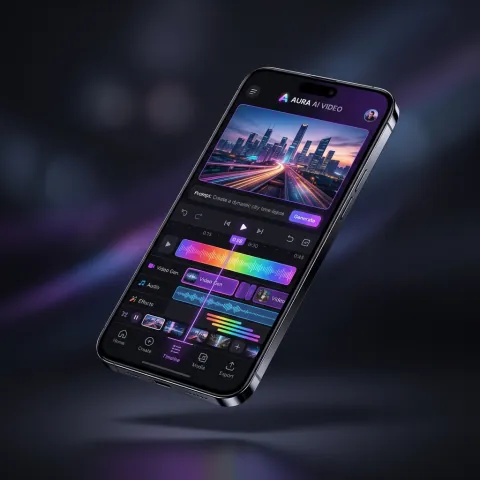
Download the app and follow our channel for new features, tips, and drops.
Good questions.
What is Ethio Viral?
Ethio Viral is a browser extension that unlocks Google Flow — Google's AI video studio — in any country where it is blocked, such as Ethiopia, Russia, Iran, China and the EU/UK. Describe a scene and get a short cinematic video you can post anywhere. It runs in Chrome and Firefox, on Android and iPhone. Pay about $1 a month with Binance Pay from anywhere, or 100 ETB in Ethiopia (Telebirr/CBE) — with a free 30-minute trial every day.
Why does Google Flow say "not available in your country"?
Google Flow (Google's AI video studio, powered by Veo) is region-locked — it works in only about 150 countries and shows "not available in your country" everywhere else, including Ethiopia, Russia, Iran, China and much of the EU/UK for full features. It is a location block, not an error on your side. Ethio Viral unlocks Google Flow so it works where you are.
Which countries is Google Flow blocked in?
Google Flow is fully blocked in countries such as Ethiopia, Russia, Iran, China, Sudan, Myanmar, Afghanistan and Cuba, and it restricts video-editing and avatar features across the EU/EEA and the UK. If you see "not available in your country" in any of them, Ethio Viral unlocks the full studio.
Is Ethio Viral a VPN?
No — Ethio Viral is a lightweight browser extension built specifically for Google Flow, not a VPN. It doesn't reroute your whole internet or slow your connection; it only unlocks Flow inside your browser. That makes it faster and simpler than a VPN, and it works even where VPNs are blocked or unreliable. See the full VPN vs Ethio Viral comparison →
Is it safe to use?
Yes. Ethio Viral only affects Google Flow in your browser — it never touches your Google password, your files, or the rest of your internet. One key works on one computer, your key stays private to you, and you can start with the free daily trial before paying. Not affiliated with Google.
How do I fix "Google Flow not available in your country"?
You can unblock Google Flow in under a minute — no VPN needed:
1. Install the Ethio Viral extension from this page (Chrome or Firefox — on phones, Kiwi Browser on Android or Orion on iPhone).
2. Start the free 30-minute trial, or paste a key you bought ($1/month via Binance, or 100 ETB in Ethiopia).
3. Click the Ethio Viral icon in your browser and press Activate.
4. Open flow.google.com — Google Flow is now unlocked and working. Generate AI videos as normal.
That's it — the "not available in your country" block is gone.
How do I pay in birr?
Send 100 ETB via Telebirr, CBE Birr, or Binance Pay to the accounts above, then paste the transaction reference in the Buy window on this page. Your key appears the moment the bank confirms it — usually within a minute. Stuck? Message @Ethio_viral_bot with your receipt.
What does the free trial include?
A fresh 30-minute key every day at full quality — enough to test it before subscribing.
What can I do without a key?
Install the extension and take the free trial: 30 minutes a day, full quality, on that computer. Everything else in Google Flow stays locked until you activate a key.
Can I use this on a phone (Android or iPhone)?
Yes, absolutely!
• Android: Download our official app on Google Play, or run the Google Flow extension on your phone using Kiwi Browser.
• iPhone / iOS: Run the extension on your iPhone using Orion Browser for iOS (supports Chrome & Firefox extensions), or create videos directly on your phone with our Telegram bot @Ethio_viral_bot. Our native iOS app is in review on the App Store.
• Payment: You can pay 100 ETB directly on your phone with Telebirr or CBE Birr — your key is valid across your phone and computer.
What does "one key, one device" mean?
Each key activates on the first computer you use it on and stays there for its 30 days. Anyone who gets your key can activate it first — keep it private. Changing computers? Message @Ethio_viral_bot.
I lost my key
On the computer you bought it with, use "recover my key" in the Activate box — the key is remembered for that device. If you emailed it to yourself, it is in that inbox. Otherwise message @Ethio_viral_bot with your payment reference.
Can I get a refund?
Because the trial is free and unlimited, we don't offer refunds on monthly keys — try the free trial first.